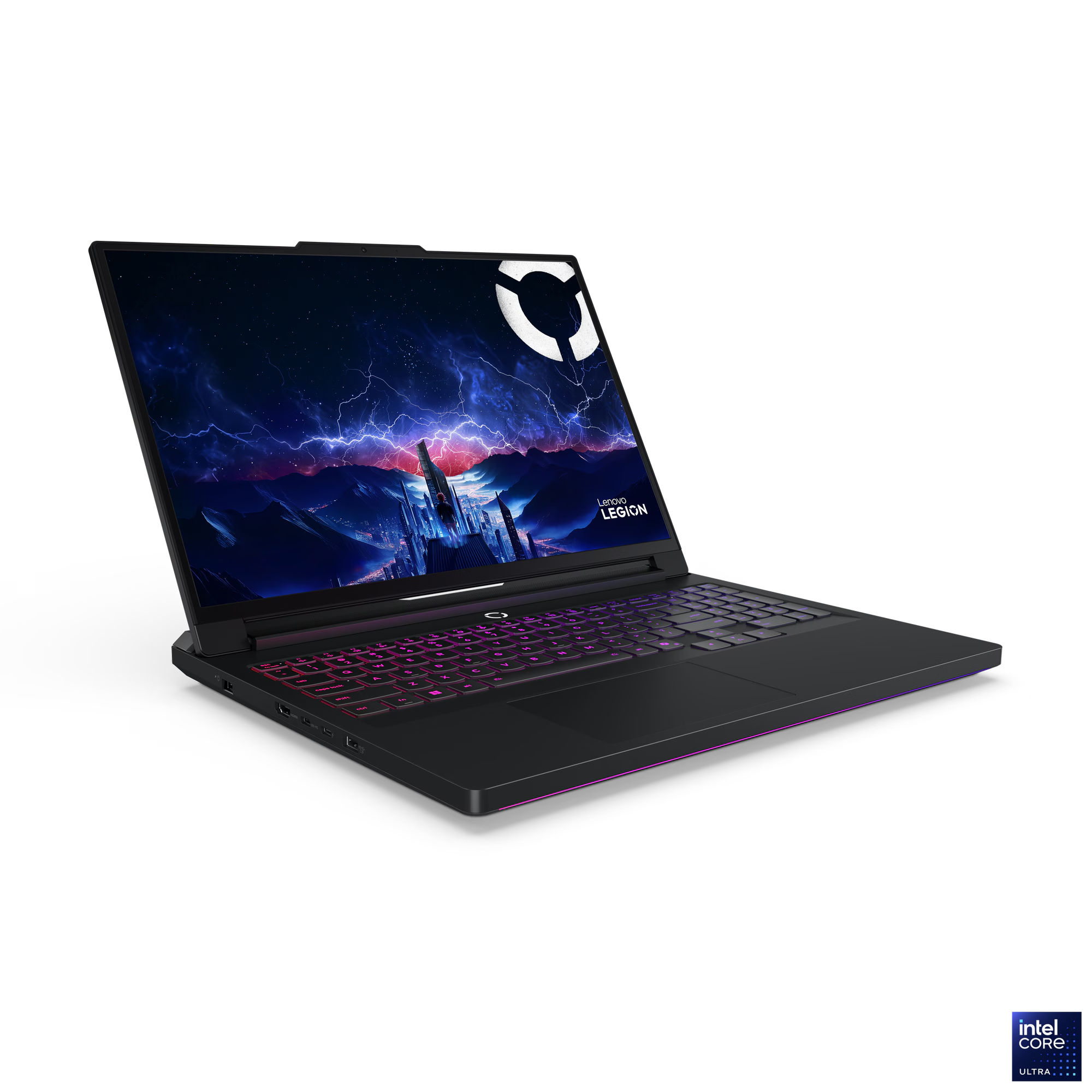
AI Laptop Lenovo Legion Pro 7 16IAX10H
This laptop has the RTX 5080 with 16GB of VRam which make it an attractive option for AI usage. The gaming style hardware also mean that the visual and audio experience is state of the art. Lenevo official marketing info for the "AI-Powered Gaming PC": https://psref.lenovo.com/Product/Legion/Legion_Pro_7_16IAX10H
The very first thing that happened to this machine was the obliteration of Windows 11 which happened right after it wanted my mum to verify I was over 18. This seemingly simple operation was complicated by the requirement to generate signing keys and an understanding of Machine Owner Key (MOK) utilities to satisfy the secure boot functionality which is built in. Essentially it is actually non-trivial to blow away the operating system and replace it, as I found out.
Once the OS, being the Kubuntu version Ubuntu with KDE, was installed the incredible sound output this unit is capable of refused to work. This is a known issue and is discussed here ( https://forums.lenovo.com/t5/Ubuntu/Legion-Pro-7-16IAX10H-Ubuntu-ALC3306-sound/m-p/5376602?page=1#6595554). At the time of writing the issue has been identified but the fix isn't in the kernel yet. The cause, to cut a long story short, is that the sound chip, a Realtek ALC3306 codec, is recognised as an ALC287 and, according to dmesg, uses a generic fallback fixup instead of a device-specific one. What that means is you get sound but crappy sound. This seems to be confirmed at the command line with the following:
phillb@Laptop-5080~$ aplay -l
**** List of PLAYBACK Hardware Devices ****
card 0: NVidia [HDA NVidia], device 3: HDMI 0 [HDMI 0]
 Subdevices: 1/1
 Subdevice #0: subdevice #0
card 0: NVidia [HDA NVidia], device 7: HDMI 1 [HDMI 1]
 Subdevices: 1/1
 Subdevice #0: subdevice #0
card 1: PCH [HDA Intel PCH], device 0: ALC287 Analog [ALC287 Analog]
 Subdevices: 1/1
 Subdevice #0: subdevice #0
card 1: PCH [HDA Intel PCH], device 3: HDMI 0 [HDMI 0]
 Subdevices: 1/1
 Subdevice #0: subdevice #0
card 1: PCH [HDA Intel PCH], device 7: HDMI 1 [HDMI 1]
 Subdevices: 1/1
 Subdevice #0: subdevice #0
card 1: PCH [HDA Intel PCH], device 8: HDMI 2 [HDMI 2]
 Subdevices: 1/1
 Subdevice #0: subdevice #0
card 1: PCH [HDA Intel PCH], device 9: HDMI 3 [HDMI 3]
 Subdevices: 1/1
 Subdevice #0: subdevice #0
phillb@Laptop-5080~$
root@Laptop-5080:/var/log# cat dmesg | grep snd
[    3.779472] kernel: snd_hda_intel 0000:02:00.1: enabling device (0000 -> 0002)
[    3.779568] kernel: snd_hda_intel 0000:02:00.1: Disabling MSI
[    3.779572] kernel: snd_hda_intel 0000:02:00.1: Handle vga_switcheroo audio client
[    5.223619] kernel: snd_hda_intel 0000:80:1f.3: bound 0000:00:02.0 (ops i915_audio_component_bind_ops [i915])
[    5.259029] kernel: snd_hda_codec_realtek hdaudioC1D0: autoconfig for ALC287: line_outs=2 (0x14/0x17/0x0/0x0/0x0) type:speaker
[    5.259033] kernel: snd_hda_codec_realtek hdaudioC1D0:    speaker_outs=0 (0x0/0x0/0x0/0x0/0x0)
[    5.259034] kernel: snd_hda_codec_realtek hdaudioC1D0:    hp_outs=1 (0x21/0x0/0x0/0x0/0x0)
[    5.259035] kernel: snd_hda_codec_realtek hdaudioC1D0:    mono: mono_out=0x0
[    5.259036] kernel: snd_hda_codec_realtek hdaudioC1D0:    inputs:
[    5.259036] kernel: snd_hda_codec_realtek hdaudioC1D0:      Internal Mic=0x12
[    5.259037] kernel: snd_hda_codec_realtek hdaudioC1D0:      Mic=0x19
root@Laptop-5080:/var/log#
Reconfiguring the GPUs (there are two in this machine)
The goal in reconfiguring the GPUs is to free up the NVidia RTX 5080 for the exclusing use of the AI. Naturally the AI itself was employed to work out how to do that. The objective is to have Kubuntu only use the iGPU (the Intel GPU built on to the SoC known as the Arrow Lake-S GPU) and thereby leaving the NVidia exclusively for Ollama's use.
Well that was quite a challenge for GPT-OSS 20b to the point where the pursuit was called off. It was time for the big guns. So out came the iPhone with CoPilot and it's massive infrastructure somewhere in the cloud. Well that proved quite a challenge as well until it issued a direction to query which display layer was doing the graphics rendering.
After CoPilot was told the renderer is Wayland, that was it. It issued a flurry of instructions to undo everything that had been done up until that point with the exception on one thing, which was using the NVidia utility to switch GPUs. It turns out that Wayland is a software layer over everything and that it doesn't accurately report the underlying situation. In fact everything was working as expected with KUbuntu's KDE windowing environment leaving the NVidia GPU alone and the NVidia CUDA drivers still being loaded and available for the dockerized AI backends.
The practical upshot is the Docker Swarm cluster at ElectricBrain now has 2 nodes equipped with NVidia GPUs with the laptop configured to keep its hands off the NVidia and only using the Intel iGPU thus freeing up VRAM for LLMs.
The strategy seems to have been successful with very fast speeds being observed from GPT-OSS:20b running on the Lenvovo. In fact it's so good a second lower spec'd GPU may end up being installed on the desktop for actual graphics use.